If you have ever considered starting a blog, you can check out my How to Create a Profitable Blog post for a BASIC guide to get you started. There are more blogging tools, courses, plugins, and programs out there than any one person could ever need. And if you’re not careful, you can spend more time trying out new tools than actually working on your blog. I know because I’ve been blogging long enough to have tried plenty of things that sounded great at the time but didn’t really make my life any easier.
The truth is, serious bloggers don’t need every shiny new tool that comes along. You need reliable hosting, a solid website setup, an email list, tools that help you create and organize your content, and a few systems that save you time instead of creating more work.
This page is where I’m sharing the blogging resources I’ve used, recommend, or believe are worth looking into. Some are free, some are paid, and some simply make running a blog a whole lot easier. I’ll also keep updating this page as I find tools that are genuinely useful, because blogging changes way too quickly for me to pretend one list will stay relevant forever.
Blogging Resources I Actually Recommend

What Tools Do Serious Bloggers Need?
You do not need twenty different programs running behind the scenes to have a serious blog. In fact, too many tools usually create more confusion than help. I would rather have a handful of things that work well together than keep paying for programs I barely use.
At the very least, you need dependable hosting, a domain you control, a WordPress theme that is easy to manage, an email marketing platform, and some kind of system for keeping your content organized. From there, the right tools really depend on what you are trying to build.
For me, the biggest question is always the same: Is this actually making blogging easier, or am I adding one more thing to manage? If a tool saves time, keeps me organized, or helps me connect with readers better, then it earns its place. If not, I do not care how popular it is.
That is the standard I use for the resources I recommend below.
One Consistent Blogging Purchase
Over the years, I have invested in so many blogging tools and resources! One thing I will always invest in annually is the BC Stack. However, the tools and resources below are essential for every serious blogger to explore.
Domain and Hosting
Your domain and hosting are not the exciting parts of blogging, but they are the foundation everything else sits on. If your hosting is slow or unreliable, it does not matter how pretty your site is or how useful your content happens to be. Readers are not going to sit around forever waiting for a page to load.
I prefer keeping my domain somewhere I control and using hosting that gives me room to actually manage my site without making every little change feel complicated. This is one of those areas where the cheapest option is not always the smartest one. Saving a few dollars is not worth much if your site keeps going down or support is nowhere to be found when something breaks.
When you are comparing hosting companies, look at uptime, support, backups, security, and how easy it is to manage WordPress. Those things matter a whole lot more than flashy promises about unlimited everything.
First, you need to invest in a solid domain name. I think that your domain should be hosted separately from your hosting company. I recommend you use NameCheap to host your domain with. If you want to combine services, they can do that too.
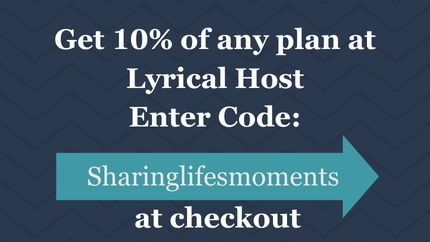
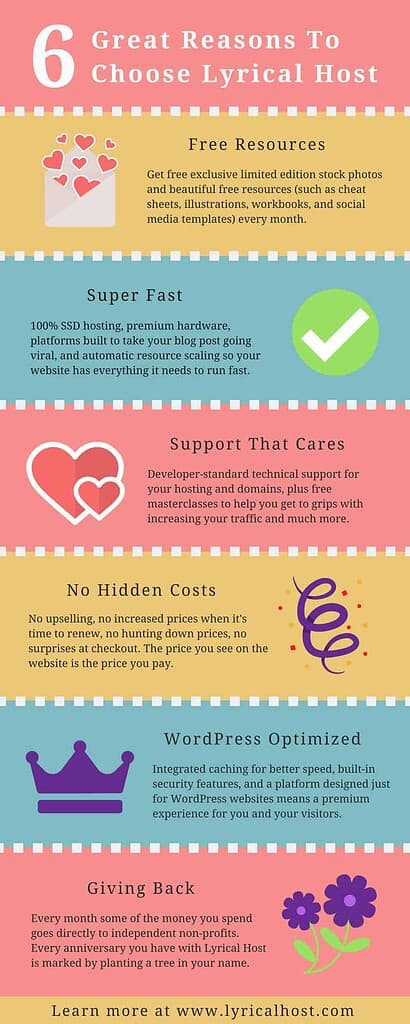
For a successful blog, choose a reliable hosting provider. Until your blog gains significant popularity, I strongly recommend Lyrical Hosting. As a reader of this blog, you can use the coupon code SLM and get a 10% discount.

WordPress Themes and Site Setup
A good WordPress theme should make your life easier, not turn every little change into a weekend project. I have learned that the hard way more than once. A theme can look beautiful in the demo and still be a pain to work with once you start adding your own content, plugins, and customizations.
I look for themes that are clean, mobile friendly, easy to update, and flexible enough to grow with the site. You want something that works well for readers first. Fancy effects are nice, but not if they slow the site down or make it harder for people to find what they came for.
The same goes for plugins. I try not to install something just because it sounds useful. Every plugin adds one more thing to update, troubleshoot, and keep compatible with the rest of your site. If I can solve the problem without adding another plugin, that is usually the better choice.

I’m a fan of Elegant Themes products, and their DIVI theme is probably the product most people know them for. DIVI has become popular because it gives bloggers and website owners a lot of control over how their site looks without requiring them to know how to code everything from scratch. The drag and drop builder makes it easier to move sections around, change layouts, customize colors and fonts, and create pages that feel more like your own instead of being stuck with a rigid theme design.
What I also like about DIVI is that it can grow with you. You can start with a fairly simple layout and then make it more customized as you get more comfortable with WordPress. For someone who wants more creative control over their blog or business website but doesn’t want to spend all day messing with complicated coding, it can be a solid option.
Restore316 Designs is another fantastic resource for WordPress themes, especially if you want something stylish and eye catching without making your site feel overly complicated. I haven’t personally used one of her themes in several years, but what has always stood out to me is how loyal her customers are. The people who use her themes tend to stick with her because they genuinely appreciate both her designs and the support she provides.
Email Marketing and Building Your List
Your email list is one of the few things you actually own. Social media platforms can change the rules, cut your reach, or disappear tomorrow, but your email list gives you a direct way to stay connected with the people who chose to hear from you.
You do not need a huge list for it to matter either. A smaller group of readers who actually open your emails and care about what you share is worth more than thousands of people who barely remember signing up.
When choosing an email platform, I look at how easy it is to send newsletters, create forms, organize subscribers, set up automations, and grow without the price getting ridiculous. The goal is not to create some giant complicated system. It is to make staying in touch with your readers easier.
For me, email works best when it feels like an extension of the blog instead of another sales channel. Share what you are working on, point readers toward useful posts, recommend something worth checking out, and keep the connection going. That is what keeps people around.
I personally use Mailerlite because it's user-friendly and affordable. MailerLite has a free newsletter plan that I love, especially for someone who is just getting started with email marketing. I’ve found the platform pretty user friendly, and their support system has been helpful when I’ve needed it. I also appreciate that they continue adding new features, so it’s a platform you can start with as a beginner and continue using as your email list and business grow.
Content Planning and Staying Organized
Creating content is only part of blogging. Keeping track of everything you want to write, what needs updating, what has already been published, and what you are trying to promote can get messy fast. Ask me how I know.
I have found that I do better when I have one place to keep my ideas instead of relying on random notes, open tabs, screenshots, and whatever I happened to jot down when inspiration hit. That does not mean you need some complicated content management system. You just need something you will actually use.
A good content planning system should help you see what you are working on, what needs attention next, and which older posts are worth revisiting. It should also make it easier to reuse your content instead of feeling like you have to create something brand new every single time you show up online.
That is one of the reasons I created my Blog Content Workflow Kit. I wanted something practical that helps bloggers keep their content moving without turning planning into another full time job. The goal is not to plan every minute of your blogging life. It is to make it easier to pick up where you left off when real life interrupts.
Which Blogging Courses Are Worth Taking?
There are more blogging courses out there than anybody could realistically finish, and not all of them are worth the time or money. I have taken enough courses over the years to know that a good one should help you solve a specific problem instead of leaving you with fifty more things to do.
When I’m looking at a blogging course now, I want to know what I’m actually going to get from it before I spend my time or money. Is it going to help me understand SEO better, bring in more traffic, create stronger content, grow my email list, or make the blog more profitable? If I have to dig around just to figure out what the course is supposed to help me do, that is usually a sign for me to move on.
I also pay attention to whether the information still feels current. Blogging changes fast, especially now that search and AI discovery are changing how people find content. A course that was useful five years ago may not be nearly as helpful today unless it has been updated.
The courses I recommend below are ones I believe are worth looking into because they teach something practical, not just motivational fluff.
My Top Recommended Blogging Courses
The She Approach has a wide range of courses for bloggers, and I really enjoy her teaching style because she explains things in a way that feels approachable instead of overwhelming. She also offers a beginner course for new bloggers, which makes her a helpful resource whether you’re just getting started or trying to grow what you’ve already built.

Heather Richie
Heather Ritchie is another great resource for courses and tools designed to make content creation feel more manageable. I especially appreciate her focus on creating systems that help you organize your ideas, streamline the work behind your content, and spend less time trying to figure out what to do next. If content creation has started feeling like a never ending job, her resources are definitely worth exploring. I personally like her Scaling Simplified: The Workflows and Systems Bundle and the AI-Powered Content Planning Toolkit.
FREE Courses Worth Signing Up For
- Copyright Notice Template - Source Blogging for New Bloggers for FREE.
- Legally Blogs - Source Blogging for New Bloggers for FREE.
Sadie Smiley is a fellow no-fluff online entrepreneur I genuinely respect and admire. She has created numerous powerful resources that have helped countless people succeed. Her latest creation is especially timely and perfectly aligned with the changes we're all navigating right now. AI Launch Magic is one of her recent products.
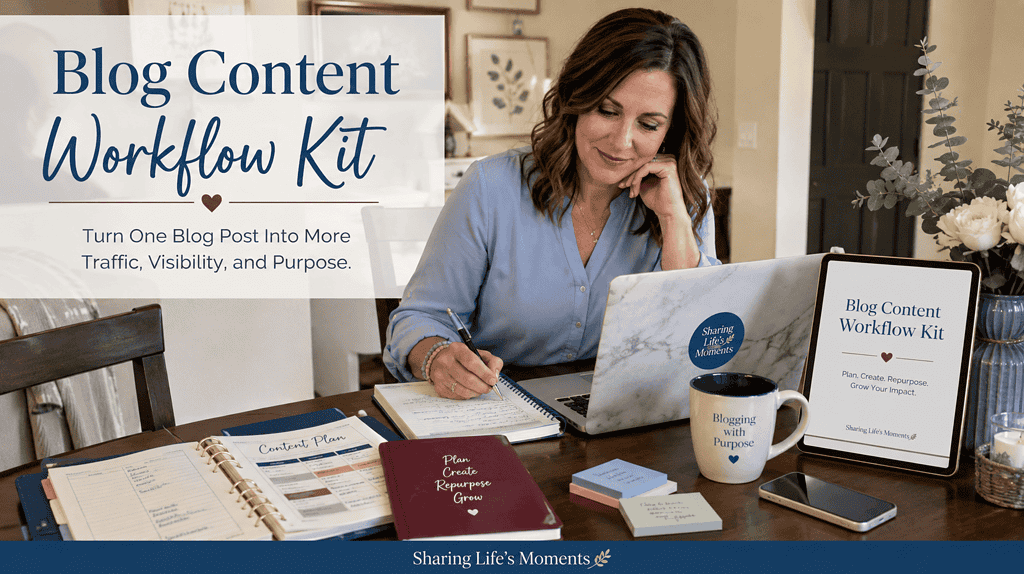
The Blog Content Workflow Kit is for bloggers who are tired of feeling like every bit of growth depends on creating something brand new. Instead of letting useful posts disappear into your archives, this workbook shows you how to take one strong article and turn it into more traffic, more visibility, and more opportunities for readers to discover what you already created.
You’ll learn how to refresh older content, pull out new social and Pinterest angles, create short form video ideas, strengthen internal links, use AI without losing your voice, and make your posts easier for both search engines and AI tools to understand. The goal is not to create more work. It is to help the work you already did keep working.
If you have good content sitting on your site but feel like you are constantly starting over, this kit gives you a practical system for getting more mileage out of every post while keeping your website at the center of your business.
Last but not Least I'm available to Assist:
I’ve spent years figuring out the tech side of running an online business, from blogging and Canva to ChatGPT, Google Workspace, and creating digital products. I offer one on one tech help for beginners who know what they want to do but keep getting hung up on the steps to actually make it happen. Instead of sending you off with another course and wishing you luck, I work with you as we go so you can get the task done and understand what you’re doing at the same time.